Water and legionella management software for safety managers
The written legionella risk assessment sets out what must be done. Day to day, someone on site still has to flush unused outlets, record sentinel temperatures, descale showerheads, inspect tanks and prove it happened. Lytom Comply is where those records live, alongside certificates, your water asset register and follow-up actions.
Outlet flush, temperature, descale, tank checks Certificate and asset register per site Portal water risk assessments and PDF export Offline logs on site, sync when online
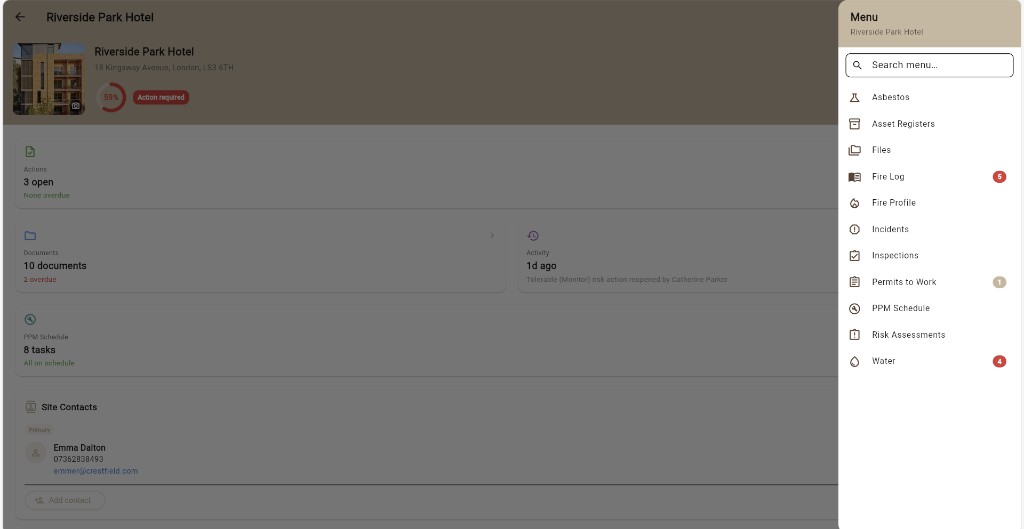
Water hygiene in your site dashboard
Each property in Lytom Comply has its own compliance score, open actions and module list. Water sits alongside fire safety, PPM, risk assessments and documents so a safety manager can see what needs attention without opening five different systems.
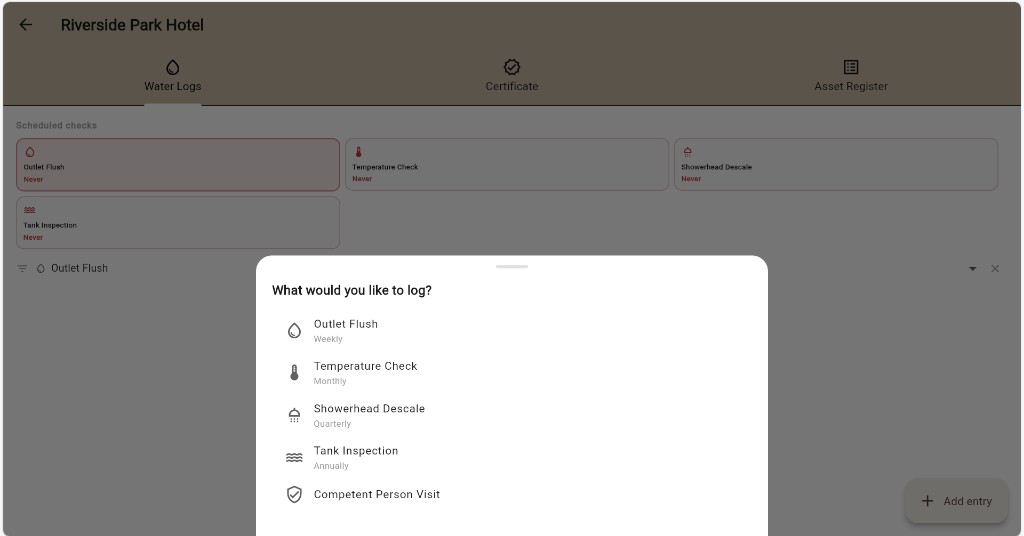
Water logs and scheduled checks
The Water Logs tab shows the routine tasks your scheme of control expects: outlet flush, temperature check, showerhead descale and tank inspection. Pick what you are recording, add a dated entry, and build a searchable history per site. Competent person visits can be logged here too.
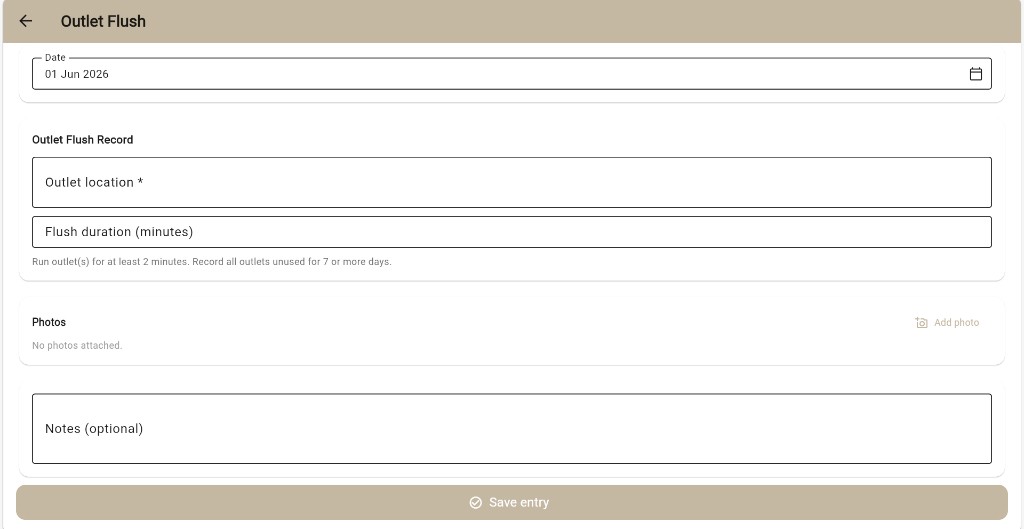
Outlet flush
Record which outlet was flushed, how long you ran it for, and attach photos or notes. The form reminds you to run outlets unused for seven or more days for at least two minutes, matching common UK practice under HSG274.
Temperature checks
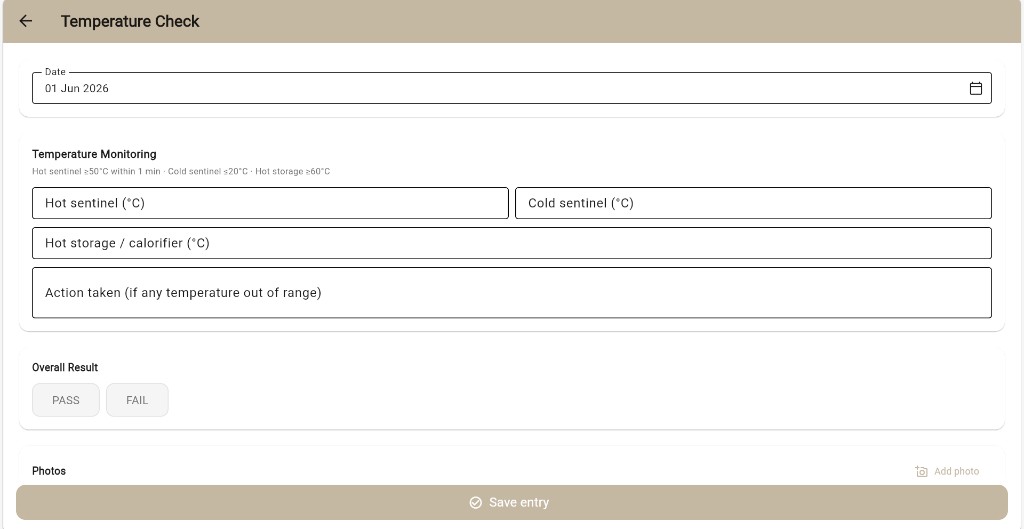
Log hot and cold sentinel readings and hot storage or calorifier temperatures. Reference thresholds are shown on the form (hot sentinel at least 50°C within one minute, cold sentinel at most 20°C, hot storage at least 60°C). Mark the round as pass or fail and record any remedial action taken.
Certificate and water asset register
When your water hygiene consultant uses Lytom Assess, the legionella risk assessment certificate PDF can appear in the Certificate tab for that site. The Asset Register tab holds your water asset list so locations and responsibilities stay in one place next to the logs.
Water risk assessments in the portal
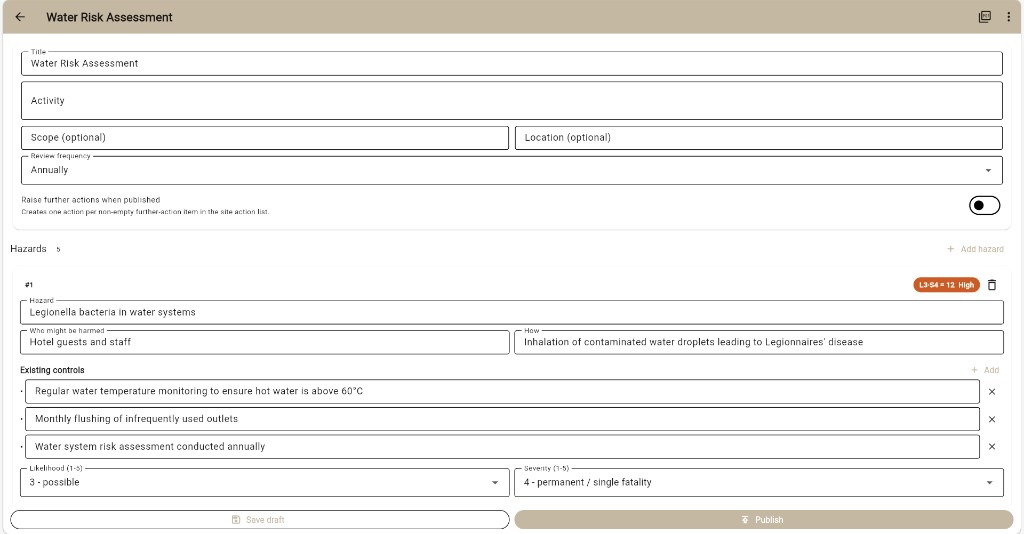
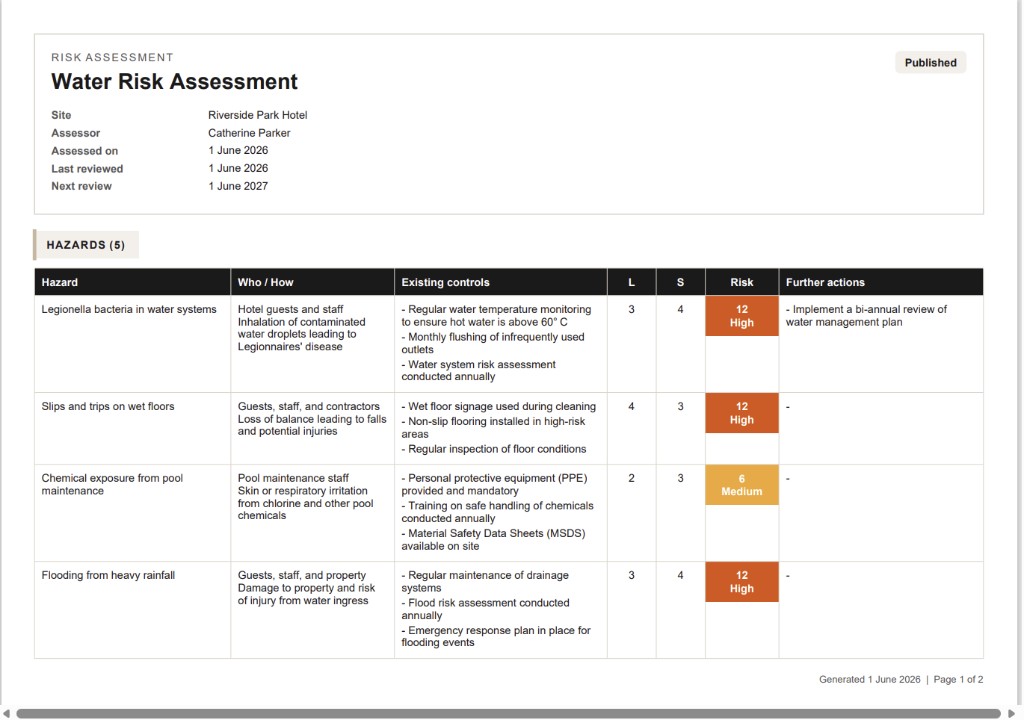
As well as routine monitoring, you can maintain a water risk assessment inside Comply for site-level hazards (legionella in water systems, slips on wet floors, pool chemicals, and similar). This is separate from the formal consultant legionella risk assessment issued through Assess.
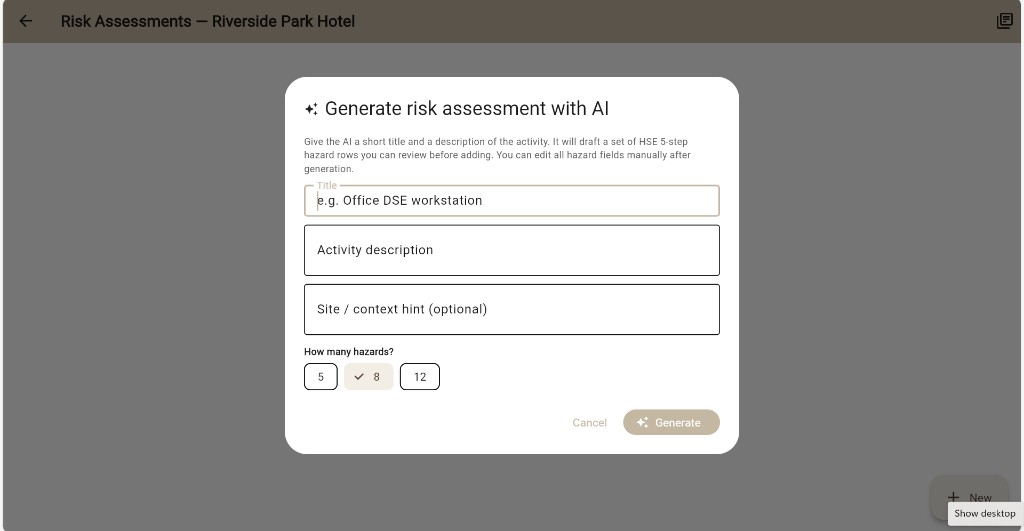
Draft hazard rows with AI from a short title and activity description, or add each row yourself. Review likelihood and severity on a 5×5 matrix, set review dates, export a PDF, and optionally raise further actions into your site action list when you publish.
Works with your water hygiene consultant
If your consultant runs the legionella risk assessment in Lytom Assess, their report, certificate and actions can flow into your Comply portal through Lytom Linked. You keep running the scheme of control in Comply while their formal assessment stays the reference document. See the legionella software overview for how Assess and Comply differ.
Frequently asked questions
What is legionella management software?
Software that helps the safety manager or site team run the scheme of control: flushing, temperatures, descale, tank checks, competent person visits, certificates and action closure. Lytom Comply stores each record with a date and audit history.
Can Lytom Comply replace a legionella risk assessment?
Comply is for ongoing records and site-level assessments you maintain. A formal legionella risk assessment from a competent consultant is normally done in Lytom Assess. When both are in use, documents and actions stay linked.
What legionella logs are included?
Outlet flush, temperature check, showerhead descale, tank inspection and competent person visits. Each entry supports photos and notes.
Can I log temperatures and flushing offline?
Yes. Cache your sites while online, complete logs on site without signal, and sync when you are back online.
Can I build a water risk assessment in Comply?
Yes. Manual build, AI draft, or templates. 5×5 matrix, review dates, PDF export, and actions on publish.
Start your 14-day trial
Full access to water logs, risk assessments and every other Comply module. Cancel any time.
Sign up at Lytom ComplyAlready have an account? Sign in
Email support@lytom.app