Risk assessment reports that carry your consultancy's name, not the software's
When you send a client a risk assessment, that report represents your consultancy. A plain cover and default formatting look like off the shelf software. Your logo, colours and cover layout look like work you stand behind. Set up your branding once in Lytom Assess and every report you issue uses it.
Your logo and colours on every report Set up once, used on every report PDF output, no Word templates
Why branded reports matter for a consultancy practice
Clients judge your work partly on how the report looks. A clear layout with your logo and colours reads as considered and professional. A generic document, even with good content, can feel like it came off a shelf.
That matters when a client forwards your report to their directors or when someone new sees your work for the first time. Presentation is part of the impression your practice makes.
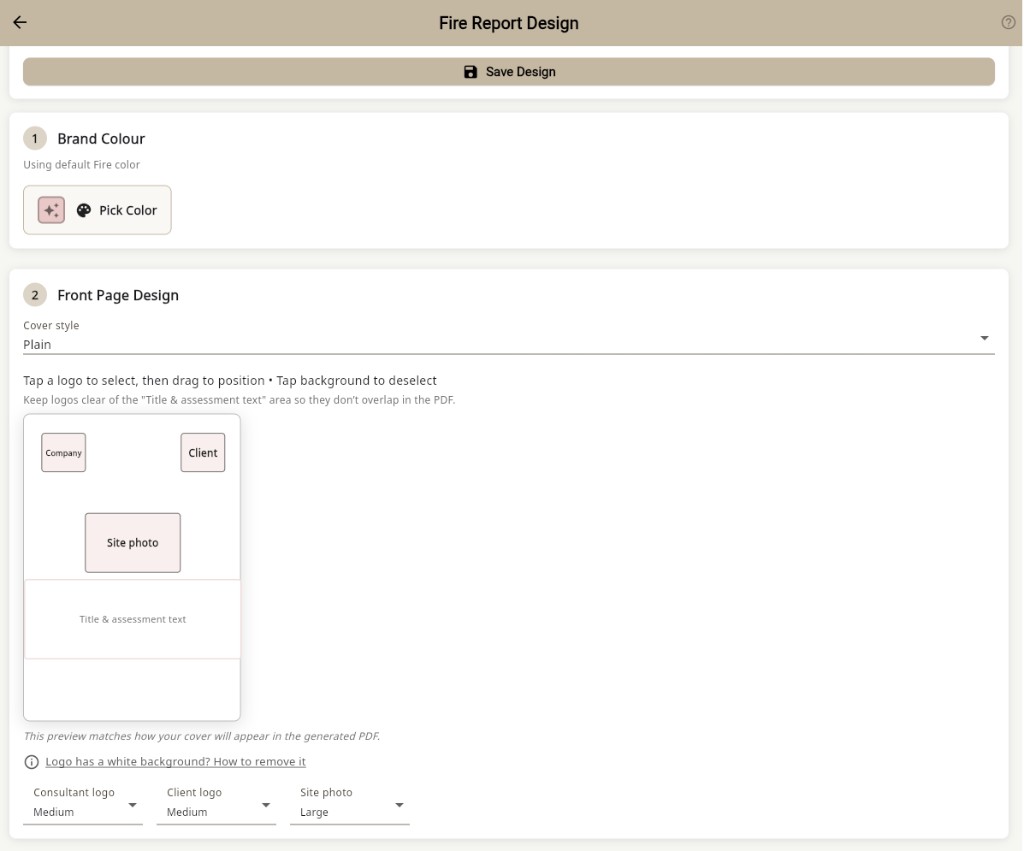
What you can configure in the report design editor
Logo
Upload your consultancy logo once. It appears on the cover page, in the report header and in any footer configuration you set. High-resolution versions render correctly in PDF output.
Colour scheme
Set your primary brand colour for cover elements, section headings, dividers and accents. The rest of the report stays in neutral tones so your colour stands out without cluttering the page.
Cover page layout
Set up the cover page with client name, site address, assessment date, assessor name and any reference numbers you use. Pick a layout that fits how your practice presents work.
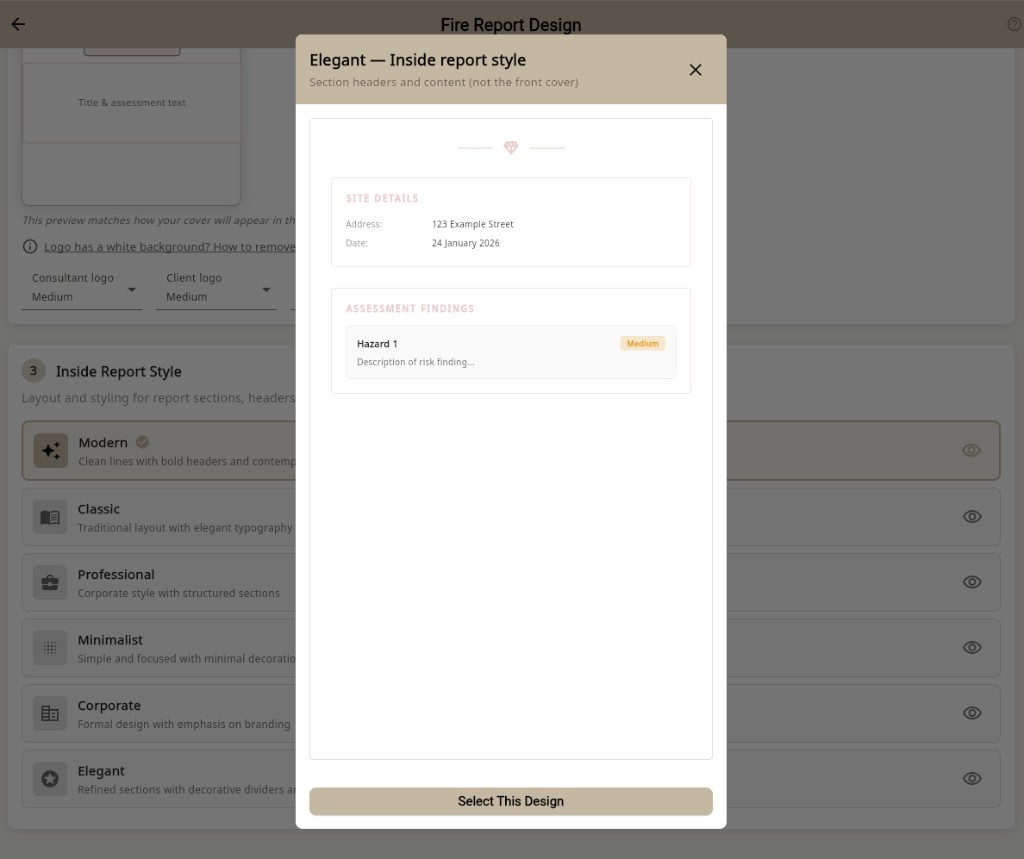
Inside report style
Pick how section headers, dividers and hazard blocks appear on the pages after the cover. Preview each style before you apply it, then keep the same look across every report your team issues.
Section structure
Adjust the order of sections within your reports to match the sequence your clients expect, or that your professional methodology requires. Save the configuration as a template and apply it consistently across all relevant assessment types.
One brand configuration, consistent across your team
When more than one person in your practice issues reports, keeping the look consistent is hard with Word templates. In Lytom Assess, branding is set at workspace level. Every consultant on your team uses the same configuration, so a report from an associate matches one from the principal. See compliance software for small teams for how roles and workspaces work.
No Word template maintenance
Many consultants maintain a Word template that gets duplicated, edited and slowly drifts between team members. Lytom Assess generates the PDF from the assessment data you enter on site or at your desk. No template file to maintain, no last-minute formatting checks, and no risk of the wrong client name on the cover.
Reports delivered through the Lytom Comply client portal
Issue a branded report in Lytom Assess and it appears straight away in the client’s Lytom Comply portal. They can view and download your PDF at any time, including earlier reports for that site, without asking you to resend files. See the client portal page for how delivery works, or the Lytom Comply overview for what clients get beyond report delivery.
Frequently asked questions
Can I add my own logo to risk assessment reports?
Yes. You upload your consultancy logo once in your workspace settings. It appears on every report you issue: on the cover page, in the header and in any footer content you configure.
Can I choose the colours and cover design for my reports?
Yes. Set your primary colour for headings, dividers and cover elements, and choose a cover layout. The PDF looks like your consultancy produced it.
Do all my consultants issue reports with the same branding?
Yes. Branding is workspace-level. Every consultant in your team uses the same settings.
Can different clients have different report designs?
Branding reflects your consultancy across all clients. If a client needs different section order or cover content, you can use a separate template for them while keeping your overall look.
Does the branding persist when clients download the PDF?
Yes. The branded PDF is the final output. Your logo and colours are embedded in the file whether the client downloads it from the portal or you send it directly.
Set up your branded report template
Start a free trial, upload your logo and issue your first branded risk assessment report.
Start free trialAlready have an account? Sign in
Safety manager? Lytom Comply is the safety management system for businesses.